SAILBook B10 Full Review: Setup and Apps
Source posted Mar 24, 2024 · Written up Nov 3, 2026
Why a second review
The reviewer calls their earlier B10 video too shallow and returns because viewers kept asking questions. This one runs close to nine minutes and spends most of that time showing the tablet being set up.
What it shows
The walkthrough covers the questions buyers most often ask:
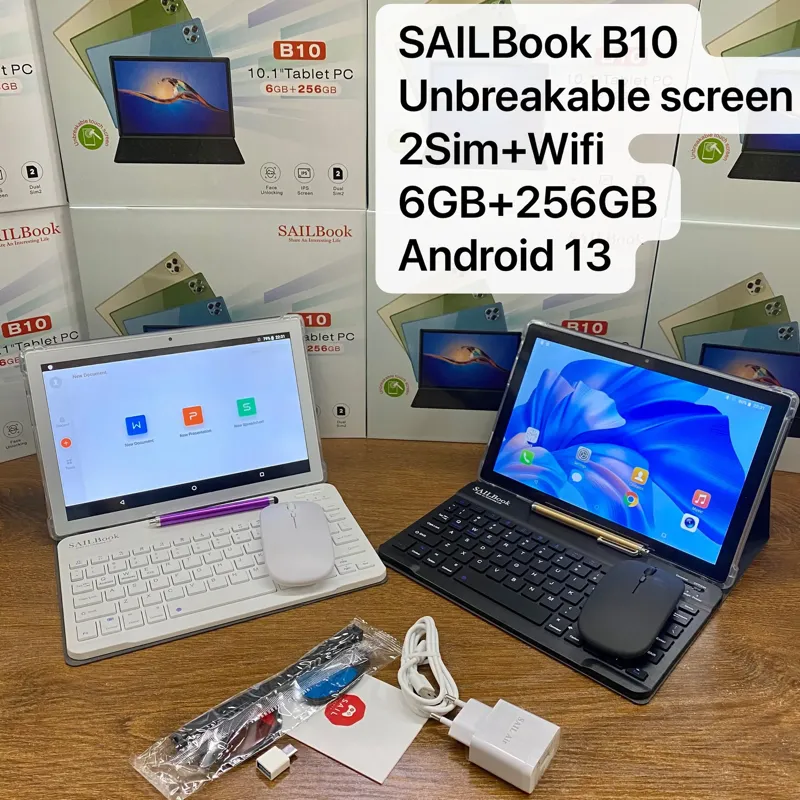
- Specs: 10.1 inches, 6GB of RAM and 256GB of storage, face unlock and an IPS screen
- Connectivity: dual SIM, so a data bundle replaces home Wi-Fi
- In the box: soft pen, manual, wireless mouse, keyboard, pouch, protective glasses and charger
- Software: preinstalled apps including Zoom, WhatsApp, YouTube and Twitter
- Office work: a direct answer to a common viewer question, confirming WPS Office is available
- Input: a choice of keyboard, mouse, finger or soft pen
A small practical catch
The reviewer's mouse came without a battery, so owners have to supply one. It is minor, but worth mentioning to customers who expect everything to work out of the box.
What it does not cover
This is a feature tour. It does not measure battery life, speed or typing comfort, and the reviewer's verdict rests on features and portability, including how easy it is to carry during the day. Test those points yourself on a sample if they matter to your customers.
The source against our current SAILBook B10 listing
Configurations change between batches and sellers, so confirm the exact one before you order.
| Spec | In the source | Our catalog |
|---|---|---|
| Screen | 10.1-inch IPS | 10.1" HD 1280×800 IPS unbreakable |
| RAM | 6GB | 6GB |
| Storage | 256GB | 256GB |
| Connectivity | Dual SIM | Dual SIM + Wi-Fi |
| Accessories | Keyboard, wireless mouse, soft pen, pouch | Wireless Bluetooth keyboard included |
Opinions in the original post belong to its creator. GuanHong makes SAIL Air and SAILBook tablets, so read this summary with that in mind.